
Administration & roles
Everything in order, for every location and company
Each person has one clean record. Add as many locations and legal entities as you run, decide who sees what right down to a single button, and rely on a change log that nobody can edit.
What it does
People
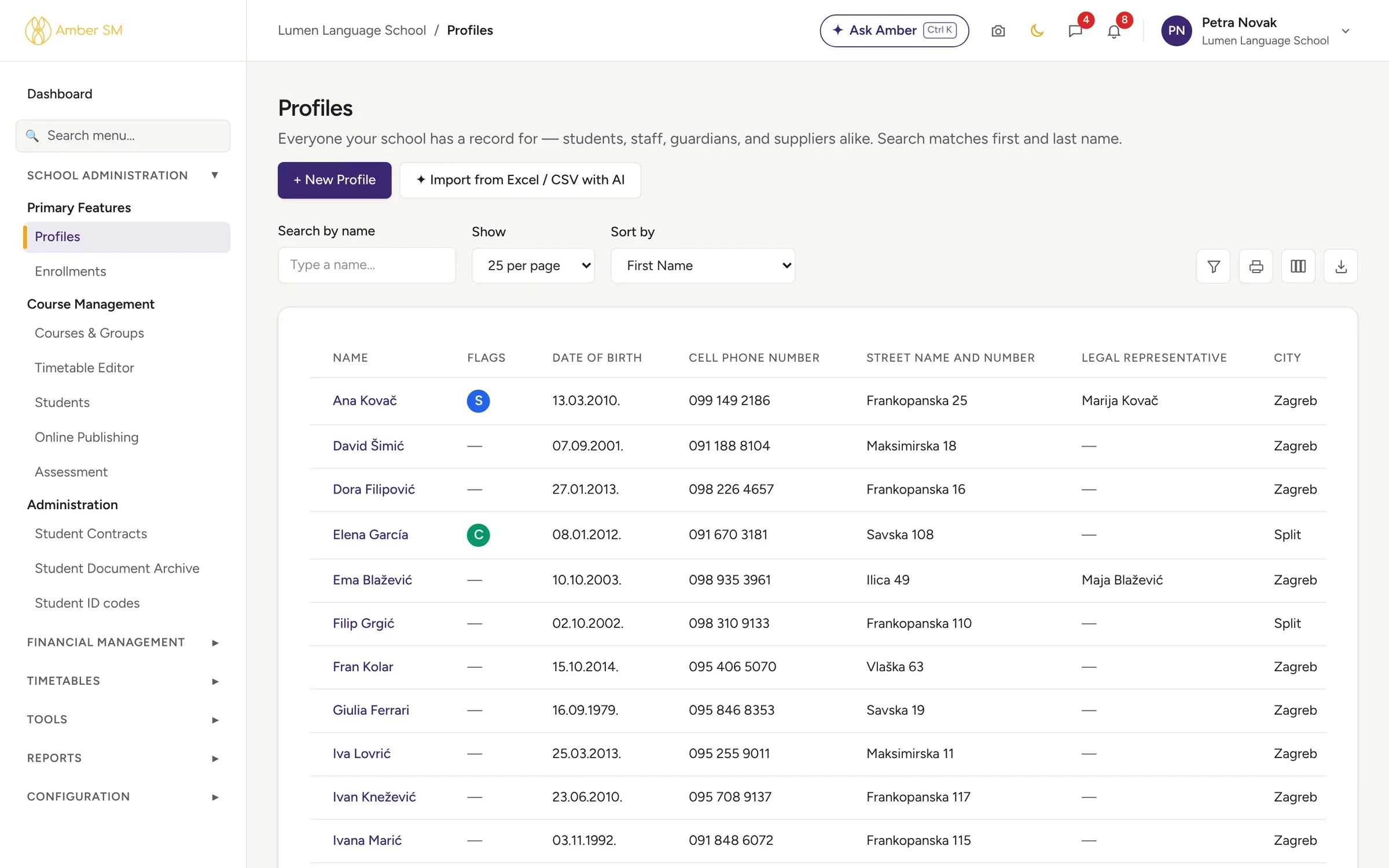
One list for everyone
Students, parents, teachers, companies and suppliers all share one list, with filters and Excel export.
The whole story on one profile
Open a profile and you see courses with prices and dates, grades and attendance, payments and invoices, documents, the portfolio and every application the person has made.
Flags
Mark someone as serious, caution, information or positive, with a reason and an optional end date. A serious flag warns staff before that person is added to a group, and children show their parent’s flags too.
Change log
A permanent record of what changed and why, covering online applications, imports, clean-ups and every flag.
Your school’s structure
Locations and classrooms
Run several venues, each with its own classrooms, including online venues for virtual classrooms.
Several companies
Each legal entity has its own bank accounts, numbering, invoice notices and fiscal locations.
Country rules
Amber has business rules for 16 countries, with the deepest legal support for Croatia.
Courses and groups
A course holds what parallel classes share (fee, lessons, VAT, syllabus). When the term ends, copy a group to the next one with all its students in one go.
Control and teamwork
Roles and permissions
Start from five role types and add as many roles of your own as you need, setting See / Open / Add / Edit / Delete for each area and for special actions.
Tasks and the bell
Give a task to one colleague or several, about a person or an applicant. Online enrollment adds its own tasks automatically.
Menu search
Type the name of any screen and you are there.
Dark mode
Available for staff and in the portal, and remembered on each device.
- Guided setup with the Amber Assistant: it asks how your school works, then proposes academic years, programmes, levels, venues, holidays and numbering on a plan card. Press Create and it sets them all up. Changed your mind? Undo is one click.
- Import people with AI from Excel or CSV, up to 5,000 rows at a time.
- Ask Amber answers how-to questions from Amber’s help articles and takes you straight to the right screen.
Who uses it
- Owner and administrators
- Set up the school, its structure and its roles.
- Everyone on staff
- Work with profiles, tasks and notifications every day.
Questions schools ask
Can we limit what a teacher or the front desk sees?
Yes. Create your own roles (for example "Front desk" or "Admin – limited") and tick exactly which areas and buttons each one may use. Nobody can give anyone more rights than they have themselves.
Can we run several schools or companies in Amber?
Yes. A single Amber can hold several legal entities, locations and websites, each with its own numbering and bank accounts.
Does Amber support two-factor authentication?
Yes, using a code from an authenticator app. On top of that, logins expire after 24 hours at most.
Works hand in hand with
See your own school in Amber.
Give us 30 minutes. You tell us how your school works, and we show you what your day would look like in Amber.