
Messages & student portal
Parents stop calling the office
How much is left to pay? What was the homework? Is Thursday’s lesson still on? Students and parents can check it all on their phones. When you send a message, it arrives with a notification, and nobody has to hand out a phone number.
What it does
Messages without WhatsApp groups
To a group, its parents or all teachers
Write to up to 3,000 people at once. Before you send, Amber tells you who doesn’t have an account yet.
Three ways to reply
Choose a group conversation, an announcement with private replies (recipients can’t see each other) or an announcement with no replies at all.
Seen by 18 of 22
Read receipts update live, so you know who has seen your message. Parents never see other parents’ phone numbers or e-mail addresses.
Push notifications
They work on Android, on iPhone (from iOS 16.4, once Amber is added to the home screen) and on computers. There is no app store involved.
A portal made for phones
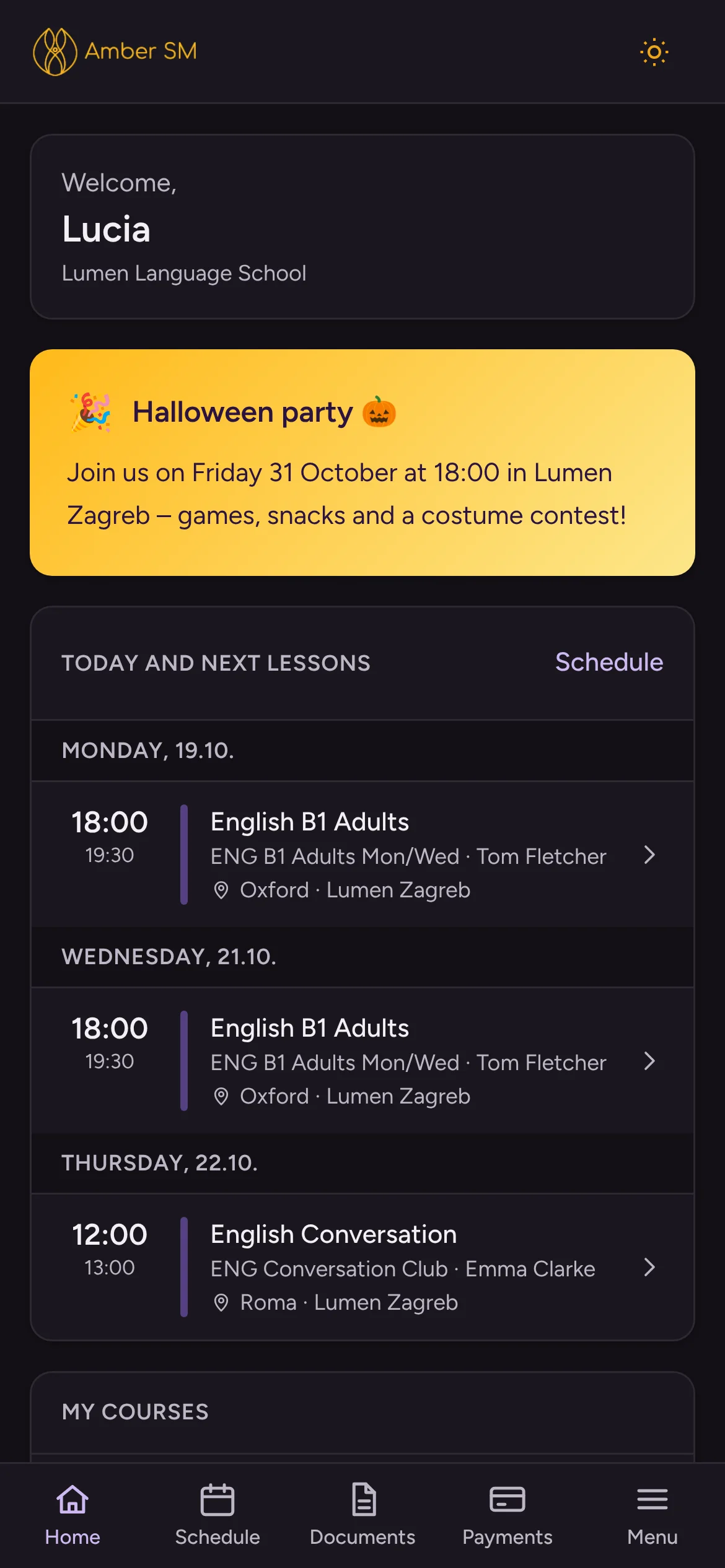
Home with a to-do list
The home screen lists documents to sign, unread messages, payments due, and today’s and upcoming lessons. While an online lesson is running, a Join button appears.
Lessons, grades and materials
Students find their lesson summaries and homework (if you share them), grades, attendance, teaching materials, portfolio, learning history and feedback.
Payments made clear
Parents see what is paid and what is due, with late instalments in red. The IBAN, reference and description each have a copy button.
One login for the whole family
Parents see all their children and switch between them with a tap, along with their own courses if they study with you too.
More ways to reach people
Dashboard messages
Post announcements for each role, with dates, pinning and images.
Dashboard ads
Run rotating banners for your own courses and events, schedule them per role and see how many clicks they get.
E-mail templates
Use your own wording for signed contracts, new accounts and bulk e-mails to applicants.
Who uses it
- Office and teachers
- Write to groups, parents and colleagues.
- Students and parents
- Use the portal and get notifications on their phones.
Questions schools ask
Is there an app to download?
There is no need for an app store. Amber opens in any browser, and once it is added to the phone’s home screen, notifications work too.
Can we choose what parents see in the portal?
Yes. Your school decides which portal pages each role sees and whether lesson summaries are shared.
Can parents pay in the portal?
The portal shows exactly what to pay and how, with the bank details ready to copy. Card payment inside the portal isn’t available yet, though it already works in online enrollment.
Works hand in hand with
See your own school in Amber.
Give us 30 minutes. You tell us how your school works, and we show you what your day would look like in Amber.