
Reports & AI analysis
The numbers that run a school, explained
How many of each teacher’s students carry on to the next level? Where do applicants drop out? Which groups are at risk? Amber answers with up to five years of comparison, and ✦ Analyse with AI tells you what changed and why it matters.
What it does
Reports owners actually use
Students & Groups
Your year at a glance, set against last year. Enrollments, students, drop-outs, groups, average group size and places filled, broken down by location, programme, teacher, level and more.
Continuing students
See how many of each teacher’s students go on to the next level the following term, over up to five years, with the list of students to call.
Attendance
Check attendance per teacher and group, spot lessons nobody has marked yet, and find the students at risk below 60 % attendance.
Enrollment funnel
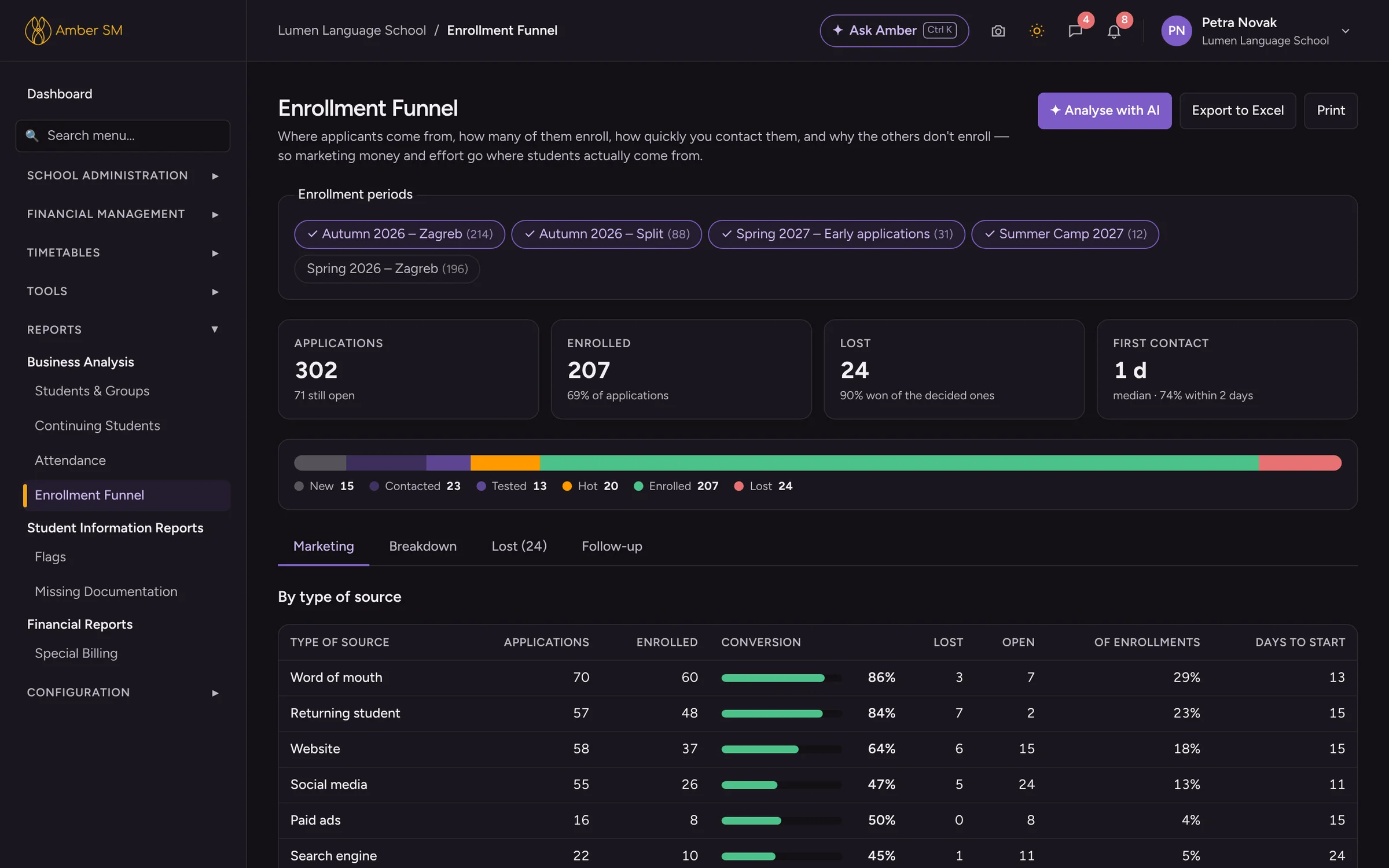
Follow applications through to enrollment, see how fast your office makes first contact, and compare conversion by marketing source and lost reasons.
Missing documentation
Every student is checked against their course’s required documents, and one click requests whatever is missing.
Special billing and flags
See what each company owes for a period, and everyone who carries a given flag, with the reason.
- Available on Students & Groups, Continuing Students, Attendance, Enrollment Funnel and Missing Documentation.
- It sums up the year, picks out the biggest changes and the most worrying steps, and can compare five years.
- It only reads, so nothing in Amber is changed. The AI gets the numbers and never sees student names.
Who uses it
- Owner and management
- Make better-informed decisions on groups, teachers, marketing and budget.
- Academic manager
- Keeps track of retention, attendance and the quality of documentation.
Questions schools ask
Can we export report data to Excel?
Every report exports to Excel and can be printed. Most lists in Amber export to Excel too, for users who are allowed to.
Does the AI see our students’ data?
No. Report analysis receives aggregated numbers only, and names are never sent.
How far back do the reports go?
As far back as your data in Amber goes. Most reports put up to five years side by side.
Works hand in hand with
See your own school in Amber.
Give us 30 minutes. You tell us how your school works, and we show you what your day would look like in Amber.