
Assessment & feedback
Results and feedback your students understand
Define once what a final exam is made of and how it is scored. Then plan when teachers give written feedback, let Amber remind them in good time, and watch it reach students and parents on their phones.
What it does
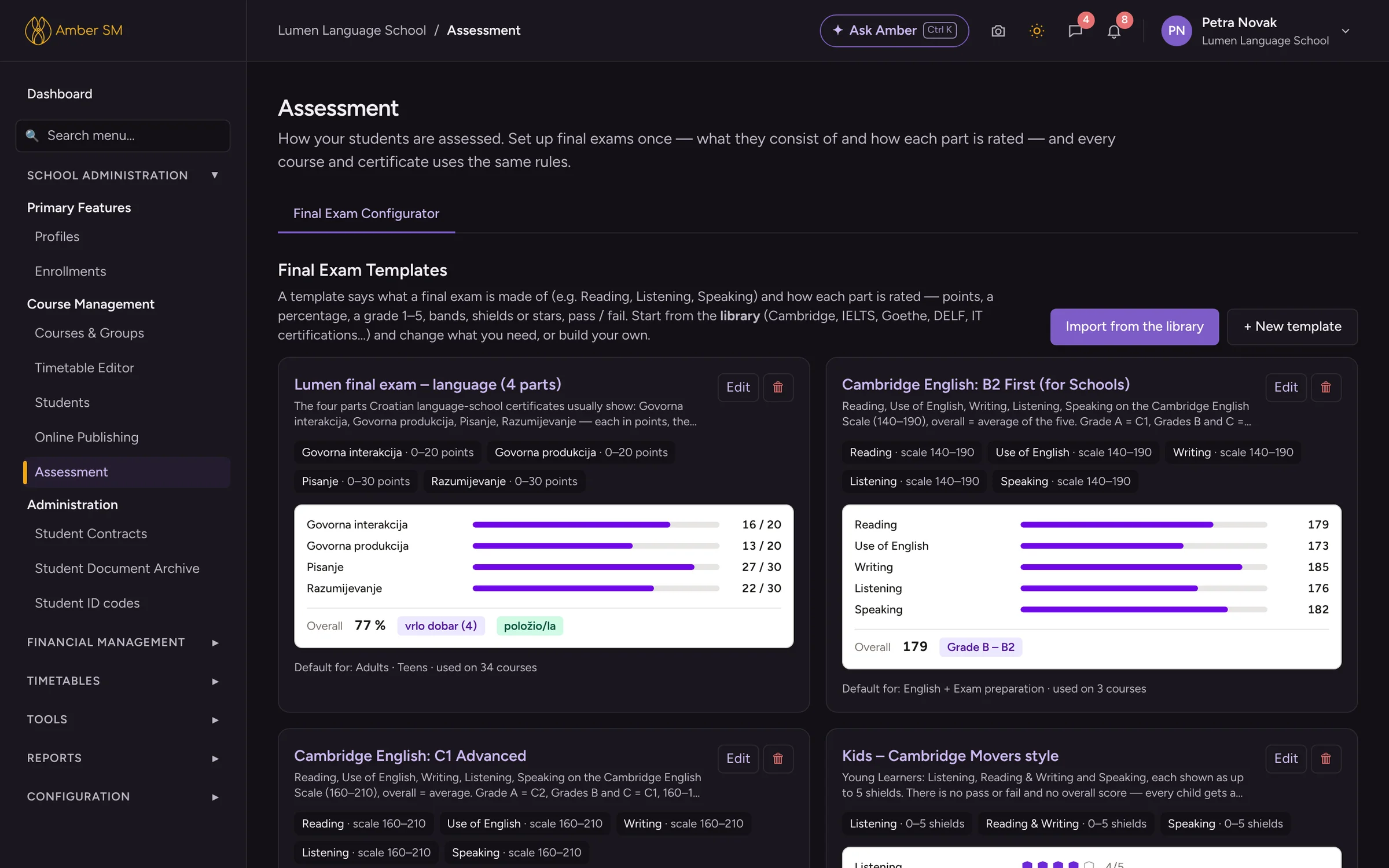
Final exams, scored your way
Any scale per skill
Score each skill in points, percentages, bands, scaled scores, named grades, Pass/Merit/Distinction or pass/fail. Young learners can earn shields and stars instead.
Overall result
Work out the total as a percentage, weighted, as a sum or as an average with rounding. Add grade bands and pass marks, even the rule that every part must pass.
A library of 29 templates
Start from Cambridge English, IELTS, TOEFL, TOEIC, Trinity, Goethe, ÖSD, telc, DELF/DALF, DELE, CILS, CELI, Croatian final exams and matura, ICDL, Microsoft, AWS, CompTIA, PMP and more.
Straight onto certificates
Results print on your own certificate layout from the Form Builder, with each part, the overall result, the band and whether the student passed. Print for one student or the whole group.
Feedback for students
Templates, sections and scales
Build them yourself, import them from a library modelled on schools with long experience, or let ✦ Build with AI suggest a set for you.
Feedback on schedule
Decide when feedback is due, for example mid-course and at the end. Teachers get a task when the window opens and a reminder before it closes.
Quick to write
Skills are buttons and a personal note is required. If a note sounds generic, Amber gives the teacher a hint, and "Save & next student" moves straight on.
On the parent’s phone
Every new piece of feedback notifies the student and parents and shows up in their portal, with the full scale.
- ✦ Build with AI suggests feedback templates, sections and scales from a short description of your courses.
- ✦ Analyse with AI checks the quality of written feedback. It spots empty, very short, copied or near-copied notes and the same grades given to everyone, then offers examples and suggestions for each teacher. Names are hidden before the AI reads a word.
Who uses it
- Academic manager
- Sets up exam templates and feedback rules, and keeps an eye on quality.
- Teachers
- Write feedback for their groups whenever it falls due.
- Students and parents
- Read their feedback and results in the portal.
Questions schools ask
Can we keep our own grading scheme?
Of course. Every template can be edited, or you can build your own from scratch with your own scales and pass marks.
Do parents see the feedback immediately?
Yes. As soon as feedback is saved, it is published and the student and parents are notified. The author can still correct it for 14 days and the office at any time, and every change stays in the history.
Are the exam templates official?
They follow the scoring the exam boards had published as of October 2026. Before you use one, check it against your exam board’s current rules.
Works hand in hand with
See your own school in Amber.
Give us 30 minutes. You tell us how your school works, and we show you what your day would look like in Amber.